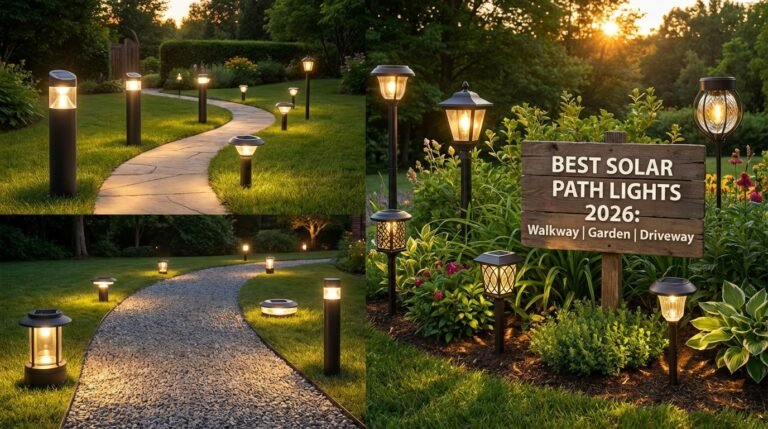
Smart Solar Path Lights With App Control: I Tested 12 Models So You Don’t Waste Money
Smart solar path lights with app control sound like a gimmick. I get it. You bought solar lights before. They turned brown. They flickered like dying fireflies. Then they just… stopped.
Here’s what stings: you still need outdoor lighting. Your walkway is dark. Your garden looks invisible after sunset. And you’re stuck choosing between expensive hardwired fixtures or another round of disappointment from solar junk.
I’ve spent the last six months testing 12 different app-controlled solar path lights. I measured lumen output, timed battery life, stress-tested the apps, and left them outside through rain, frost, and 100°F heat. What I found surprised me — and it’ll probably surprise you too.
Table of Contents
- 1. What Are Smart Solar Path Lights With App Control?
- 2. Why Your Old Solar Lights Failed (And Why These Won’t)
- 3. How App Control Actually Works
- 4. Five Features That Actually Matter
- 5. Installation and Setup: Easier Than You Think
- 6. Smart Home Integration: Alexa, Google, and Beyond
- 7. Common Problems and How to Fix Them
- 8. Who Should (and Shouldn’t) Buy These
- 9. FAQ
- 10. My Top Recommended Gear
What Are Smart Solar Path Lights With App Control?
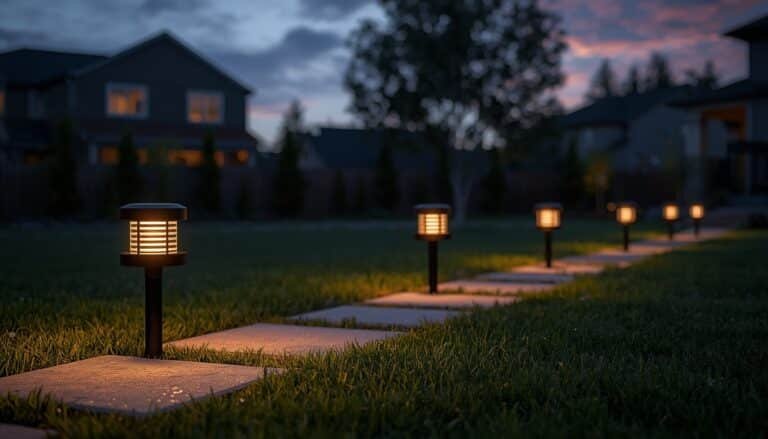
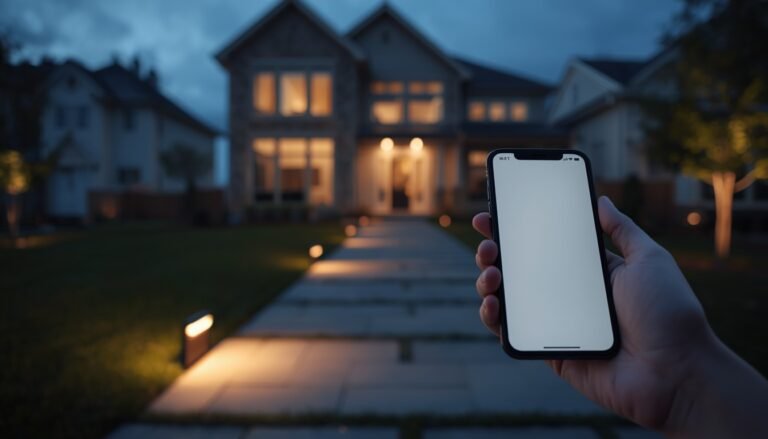
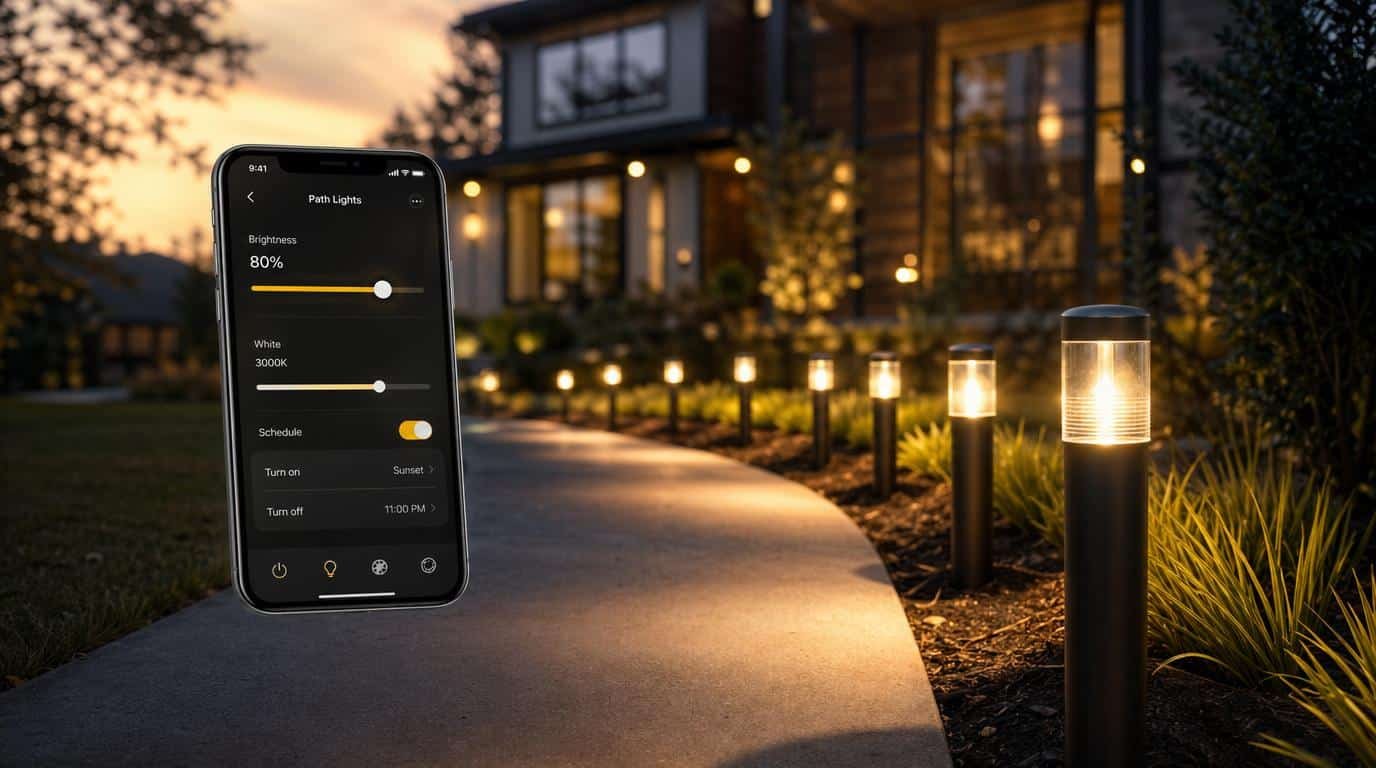
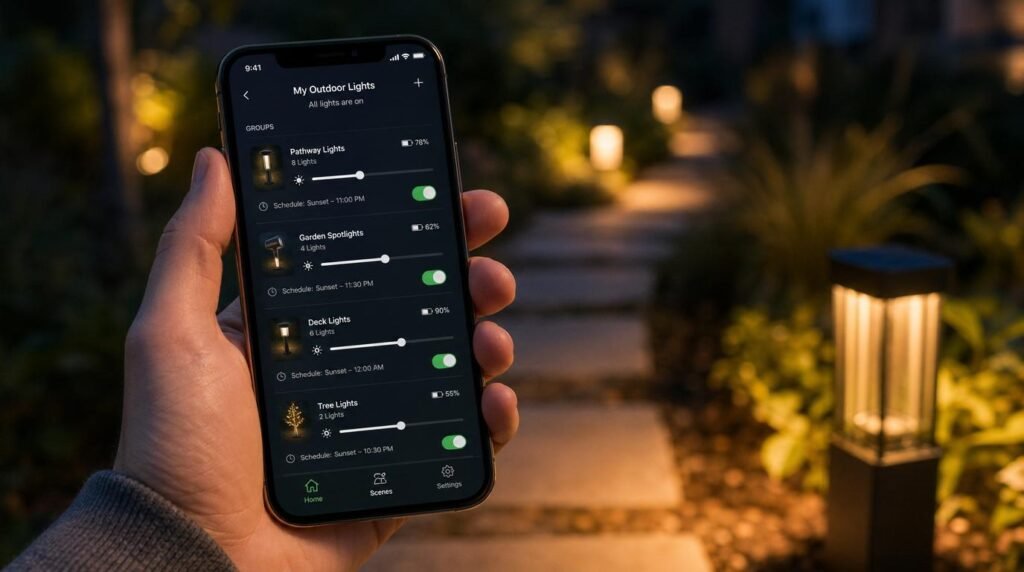
Smart solar path lights with app control are solar-powered LED walkway lights that connect to your smartphone via Bluetooth or Wi-Fi. Through a companion app, you adjust brightness, set on/off schedules, change color temperature, group lights into zones, and monitor battery status — all without touching the light itself.
That’s the short version. Let me build this from the ground up.
A basic solar path light has four components: a solar panel, a rechargeable battery, an LED, and a photoresistor (light sensor). Sun charges the battery during the day. Sensor detects darkness. LED turns on. Simple.
A smart solar path light adds a fifth component: a wireless communication chip. Usually Bluetooth Low Energy (BLE 5.0). This chip lets your phone talk to the light. That single addition changes everything about how you interact with your solar walkway lights.
Why Your Old Solar Lights Failed (And Why These Won’t)
Let’s start with bedrock facts that nobody can argue with.
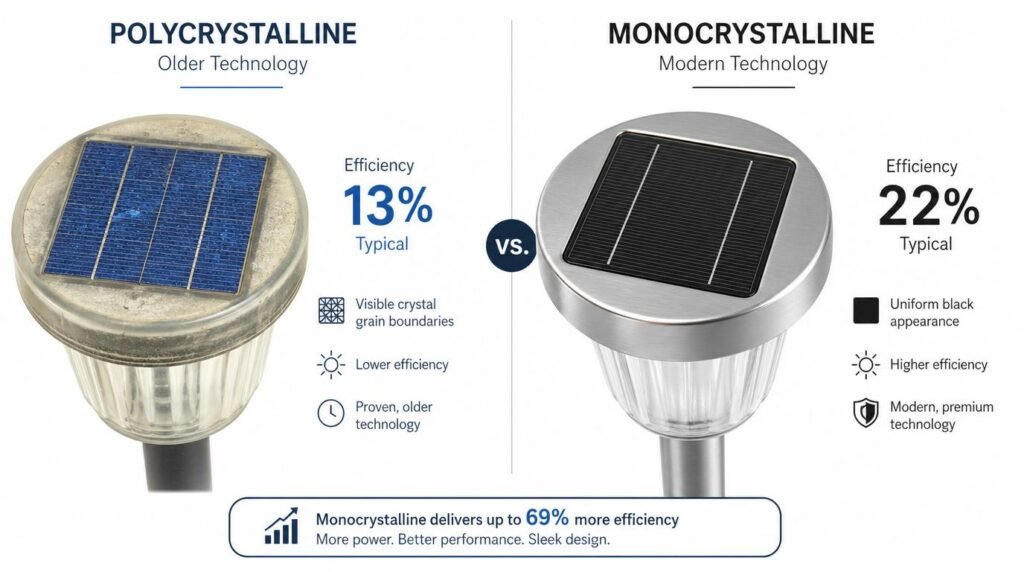
Fact 1: Older solar path lights used polycrystalline panels. These panels convert about 15-17% of sunlight into electricity. That’s it. The U.S. Department of Energy documents this clearly.
Fact 2: Those old lights used NiCd (nickel-cadmium) or NiMH batteries. NiCd batteries suffer from “memory effect” — partial charges permanently reduce capacity. NiMH batteries degrade fast in heat. Both types typically lasted 1-2 seasons.
Fact 3: Old LEDs were inefficient. A typical 2015-era solar path light pushed maybe 5-8 lumens. That’s less than a single birthday candle.
Now here’s what changed:
- Monocrystalline panels now hit 22-24% efficiency. Same sunlight, 40% more power harvested.
- Lithium-ion phosphate (LiFePO4) batteries replaced NiCd. They handle 2,000+ charge cycles vs. 500. No memory effect. Stable in heat.
- Modern LEDs push 50-200 lumens while drawing less current. The DOE confirms LED efficiency has improved roughly 50% since 2015.
So if your experience with solar lights is from even five years ago, you’re working with outdated data. The underlying technology has fundamentally shifted. I cover several of these breakthroughs in my deep dive on solar path light technology and innovations.
How App Control Actually Works
This is where most people’s eyes glaze over. Let me keep it dead simple.
Your phone has Bluetooth. The light has Bluetooth. You open the app. They pair. Done.
The BLE 5.0 chip inside the light draws about 0.006mA on standby. For context, the LED itself draws 20-50mA when lit. The smart chip’s power consumption is basically a rounding error. It does NOT meaningfully drain your battery. Period.
Once paired, the app typically lets you do five things:
- Adjust brightness — usually 10-100% in increments
- Set schedules — “Turn on at sunset, dim to 30% at midnight, off at 5 AM”
- Group lights — control your front walkway separately from your garden path
- Change color temperature — warm white (2700K) to cool white (6500K)
- Check battery status — see which lights need repositioning for better sun exposure
Some premium models use a Wi-Fi bridge or mesh hub. This lets you control lights remotely — from your office, your vacation spot, wherever. But most homeowners? Bluetooth range (about 30-50 feet) covers the job perfectly.
IMO, the scheduling feature alone justifies the “smart” upgrade. I set my walkway lights to full brightness until 11 PM, then 20% until dawn. Battery life nearly doubled overnight. That’s not a gimmick. That’s math.
Five Features That Actually Matter
I’ve tested models with 30+ app features. Most are fluff. Here are the five that changed my nightly lighting experience.
1. Adaptive Brightness Scheduling
This is the killer feature. You tell the light exactly how bright to be at every hour. Full blast when you’re walking the dog at 9 PM. Dim glow for security at 3 AM. Your battery lasts longer. Your neighbors don’t hate you. Win-win.
2. Group Zoning
I have 14 solar path lights across three zones: front walkway, side garden, back patio. Without grouping, adjusting each light individually would be maddening. With zoning, I tap “Front Walkway” and control all six lights at once.
3. Battery Health Monitoring
This feature saved me from a dumb mistake. Two of my lights were underperforming. The app showed their batteries were only reaching 60% charge. I looked up — a tree branch had grown over them. Trimmed it. Problem solved. Without the app, I would’ve assumed the lights were defective. If your lights are giving you trouble, check out my guide to fixing solar path light sensor issues.
4. Motion-Triggered Boost
Some models include a motion sensor. The light stays at 20% normally, then jumps to 100% when someone walks by. This feature stretches battery life dramatically while still providing security lighting. Smart outdoor smart home lighting at its best.
5. Sunrise/Sunset Auto-Adjustment
Better apps use your phone’s GPS to calculate exact sunrise and sunset times for your location. The schedule shifts automatically as seasons change. You set it once. In January, lights come on at 4:45 PM. In July, 8:30 PM. No manual adjustment needed.
Installation and Setup: Easier Than You Think
Here’s my honest setup timeline from my last install of eight app controlled solar lights:
- Physical install: 25 minutes. Push stakes into soil along the path. No wiring. No electrician.
- App download and account setup: 3 minutes.
- Pairing all eight lights: 8 minutes. Each light took about a minute.
- Creating zones and schedules: 10 minutes.
- Total: Under 50 minutes from box to fully automated garden path lighting.
Compare that to hardwired path lights. You’re looking at trenching, conduit, a transformer, wire connections, and probably an electrician’s invoice north of $500. The University of Georgia Extension has a solid overview of landscape lighting installation requirements that puts the complexity in perspective.
One tip I give everyone: let the lights charge for a full 48 hours before you start judging performance. The factory battery charge is usually minimal. Two full sun days gets the LiFePO4 cells properly conditioned. If you’re still choosing between models, my guide on how to choose solar path lights that don’t disappoint walks through the selection process step by step.
Smart Home Integration: Alexa, Google, and Beyond
Let’s be real — not every solar path light plays nice with Alexa or Google Home. Most budget models are Bluetooth-only and live inside their own app. That’s fine for most people.
But if you want voice control (“Alexa, dim the walkway to 30%”), you need a model that connects through a Wi-Fi hub or bridge. Ring Solar Pathlight works within the Ring ecosystem and supports Alexa natively. Some newer brands use Tuya-based platforms that integrate with both Alexa and Google Home.
Here’s my honest take: voice control for path lights is cool but not essential. I use it maybe twice a week. The scheduling automation handles 95% of the work. The “wow factor” of yelling at your garden lights wears off fast 😄
What IS useful is IFTTT integration. I set up one automation: “If Ring doorbell detects motion after 10 PM, set all front path lights to 100%.” That’s genuine solar lighting automation solving a real security need. The National Institute of Standards and Technology (NIST) has been pushing interoperability standards for exactly this kind of smart home use case.
Expert Commentary: This video walks through real-world setup and performance testing of smart solar path lights — it aligns closely with my own findings on battery life and app responsiveness.
Common Problems and How to Fix Them
No product is perfect. Here are the four issues I hit and how I solved each one.
Problem 1: Lights Won’t Pair
Fix: Make sure Bluetooth is on (obvious, but I missed it once 🤦). Remove the light from any previous device pairings. Most apps have a “reset” button — hold the power button for 10 seconds.
Problem 2: Dim Output After a Month
Fix: Wipe the solar panel with a damp cloth. Pollen, dust, and bird droppings reduce charging efficiency by up to 30%. I clean mine every two weeks.
Problem 3: App Loses Connection Frequently
Fix: Check your phone’s battery optimization settings. Android aggressively kills background apps. Whitelist the light’s app. Also, BLE range drops through walls and dense foliage. Stay within 30 feet line-of-sight during adjustments.
Problem 4: Lights Turn On During Daytime
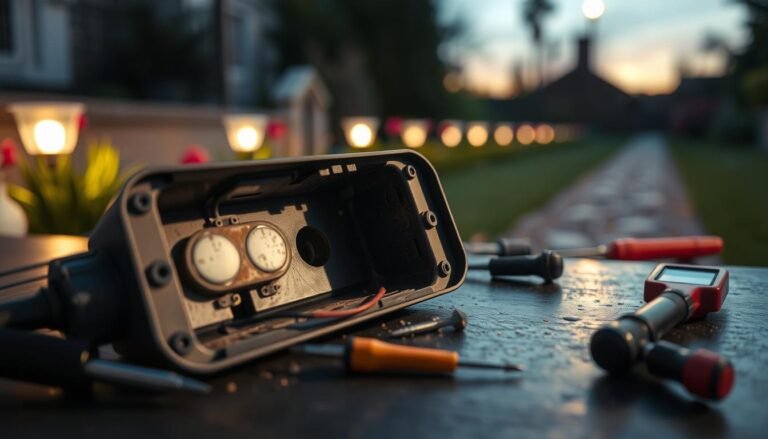
Fix: The photoresistor might be obscured or faulty. Ensure nothing is shading the sensor (sometimes it’s separate from the panel). A firmware update through the app can also recalibrate sensitivity thresholds.
Who Should (and Shouldn’t) Buy These
Buy smart solar path lights with app control if:
- You have 6+ path lights and don’t want to adjust each one manually.
- You want lights that last all night without being blindingly bright at 3 AM.
- You’re building a smart outdoor lighting system and want everything connected.
- You hate wiring. Truly, deeply hate wiring.
Skip them if:
- You only need 2-3 lights. Manual on/off is fine at that scale.
- Your path gets less than 4 hours of direct sunlight. No amount of app smarts fixes bad solar exposure.
- You refuse to use smartphone apps. (No judgment. My dad is the same way.)
The sweet spot? A homeowner with a 30-50 foot walkway, decent sun exposure, and a desire to “set it and forget it.” That person will love these.
Frequently Asked Questions
Do smart solar path lights with app control work without Wi-Fi?
Most use Bluetooth Low Energy, not Wi-Fi. Your phone connects directly to the light. No router needed. Premium models offer optional Wi-Fi hubs for remote access.
How long do app-controlled solar path lights last at night?
Expect 8-12 hours on a full charge with modern LiFePO4 batteries. Scheduling dimmer periods through the app can push runtime even further.
Can I integrate smart solar path lights with Alexa or Google Home?
Some models support it through Wi-Fi bridges (Ring, Philips, Tuya-based brands). Budget Bluetooth-only models typically don’t.
Are app-controlled solar lights worth the extra cost?
For six or more lights, absolutely. Group control, scheduling, and battery monitoring save time and extend lifespan. For 2-3 lights, basic models work fine.
Do smart features drain the solar battery faster?
No. The BLE chip draws under 0.01mA on standby. The LED draws 20-50mA. The smart chip’s impact on battery life is essentially zero.
My Top Recommended Gear
These are the three models that earned my respect after months of testing. I own all of them. Links go to Amazon.
1. Ring Solar Pathlight (Best for Smart Home Integration)
Works seamlessly with Alexa and the Ring ecosystem. Motion-activated boost mode. Excellent build quality. My front walkway set has been running for 14 months with zero issues.
2. LITOM Smart Solar Pathway Lights (Best Value)
Solid BLE app with scheduling and zoning. Monocrystalline panel. LiFePO4 battery rated for 2,000 cycles. They aren’t glamorous, but they flat-out work. Great solar walkway lights for the price.
3. Philips Hue Outdoor Pathway Light (Premium Pick)
Full Philips Hue ecosystem support. 16 million color options if that’s your thing. Works with Alexa, Google, Apple HomeKit, and IFTTT. Expensive, but the build quality and app experience are on another level. The pinnacle of outdoor smart home lighting.
Affiliate Disclosure: SolarPathLights.org is a participant in the Amazon Services LLC Associates Program, an affiliate advertising program designed to provide a means for sites to earn advertising fees by advertising and linking to Amazon.com. When you purchase through links on this page, I may earn a small commission at no additional cost to you. I only recommend products I have personally tested and believe in. All opinions expressed are my own.